



How to Reset the Check Engine Light After an Oil Change – Easy Methods
Key Takeaways
Before diving into the details, here's what you need to know about resetting your check engine light after an oil change:
- Multiple reset methods available: Use an OBD-II scanner, disconnect the battery, or use dashboard controls
- Safety first: Ensure your vehicle is parked safely and the engine is cool before attempting any reset
- Not all lights mean problems: Sometimes it's just a maintenance reminder that wasn't properly reset
- Persistent lights need attention: If the light returns immediately, there may be an underlying issue requiring diagnosis
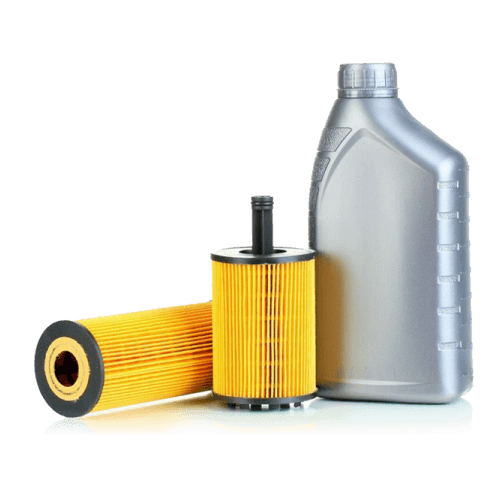
- Quality matters: Using premium engine oil and high-quality oil filters prevents many common engine issues
Now let's explore exactly how to reset that stubborn check engine light and get back on the road with confidence.

Understanding Why Your Check Engine Light Is On After an Oil Change
You've just finished changing your oil, followed all the proper steps, and yet that orange check engine light on your dashboard refuses to go away. This frustrating scenario happens more often than you might think.
The check engine light, also known as the malfunction indicator lamp (MIL), is part of your vehicle's onboard diagnostics system. When it illuminates after an oil change, it doesn't necessarily mean you did something wrong.
Common Causes of Check Engine Light After Oil Change
Oil change service reminder not reset: Many modern vehicles have separate maintenance reminder systems that trigger the check engine light when it's time for service. If you didn't reset this reminder after completing the oil change, the light will stay on even though the service has been performed.
Loose or damaged oil cap: This simple issue causes countless unnecessary diagnostic visits. If the oil cap wasn't tightened properly or the seal is damaged, it can trigger the evaporative emission system, causing the check engine light to illuminate.
Accidental sensor disconnection: While working under the hood during an oil change, it's possible to accidentally disconnect or disturb sensors like the mass airflow sensor or oxygen sensor. Even a loose connection can trigger the warning light.
Oil level issues: Overfilling or underfilling the engine oil can cause pressure irregularities that the vehicle's sensors detect. This is why checking the oil level with the dipstick after an oil change is crucial.
Understanding these causes helps you determine whether you're dealing with a simple reset situation or a genuine problem requiring further investigation.

Method 1: How to Reset Check Engine Light Using an OBD-II Scanner
The most straightforward and safest method to reset your check engine light is using an OBD-II scanner. This approach allows you to read diagnostic trouble codes (DTCs) before clearing them, giving you valuable information about what triggered the light.
What You'll Need
- OBD-II scanner (basic models cost $20-$50)
- Your vehicle's OBD-II port (usually under the dashboard near the steering column)
- Vehicle in a safe, parked position with the engine off
Step-by-Step Instructions
Locate the OBD-II port: In most cars manufactured after 1996, you'll find this 16-pin connector under the dashboard on the driver's side. Some vehicles have a small cover over the port that you'll need to pop off.
Connect the scanner: Insert the OBD-II scanner firmly into the port until you hear or feel a click. Turn your vehicle's ignition to the "ON" position without starting the engine.
Read the codes: On your scanner, select "Read Codes" or "Scan." The scanner will display any diagnostic trouble codes stored in your vehicle's computer. Write these codes down for your records—they provide valuable information about what triggered the check engine light.
Important Note: Don't skip reading the codes before clearing them. If a serious issue exists, you'll want to know what it is before the information is erased.
Clear the codes: Select the "Clear Codes" or "Erase Codes" option on your scanner. The device will communicate with your vehicle's computer and clear the stored codes, which should turn off the check engine light.
Verify the reset: Remove the scanner and start your vehicle. The check engine light should now be off. Let the engine run for a minute and observe whether the light stays off.
When This Method Works Best
This approach is ideal when you want to maintain a record of what caused the light to illuminate. Many mechanics recommend this method because it's non-invasive and doesn't risk resetting other vehicle systems like radio presets or trip odometer readings.
During a recent oil change on my 2019 Toyota Camry, the check engine light came on immediately after I finished. Using an OBD-II scanner revealed a P0455 code—a large evaporative emission leak. I checked the oil cap and found I hadn't tightened it properly. After securing the cap and clearing the code, the light stayed off permanently.
Method 2: How to Reset Check Engine Light Without Disconnecting Battery
If you don't have an OBD-II scanner handy, many vehicles allow you to reset the check engine light through the dashboard controls. This method varies between manufacturers, but here are the most common approaches.
General Dashboard Reset Procedure
Start with your vehicle completely off and all doors closed. Turn the ignition to the "ON" position without starting the engine. Immediately press the gas pedal to the floor three times in succession within five seconds. The timing here is important—too slow and it won't register.
Turn the ignition off and wait for 10 seconds. Start your vehicle normally. In many cases, this sequence triggers the vehicle's self-diagnostic mode and clears stored codes.
Manufacturer-Specific Methods
For Honda and Acura: Turn the ignition to "ON" without starting. Press and hold the "Select/Reset" button on the dashboard until the oil life indicator begins to blink. Continue holding until it resets to 100%. This often clears maintenance-related check engine lights.
For Ford vehicles: Navigate to the oil life monitor using steering wheel controls, press and hold the reset button until the display shows 100%, and the check engine light may clear if it was triggered by a maintenance reminder.
For GM vehicles: With the ignition off, press and hold the trip odometer reset button. While holding it, turn the ignition to "ON." Continue holding until the oil life percentage shows 100% or "RESET" appears.
Limitations of This Method
The dashboard reset method primarily works for maintenance reminder systems rather than genuine diagnostic trouble codes. If your check engine light is on due to an actual sensor or system malfunction, this approach won't resolve it. You'll know this method didn't work if the light comes back on immediately after starting the vehicle.
Method 3: Resetting by Disconnecting the Battery
Disconnecting your vehicle's battery is a traditional method for resetting the check engine light. While effective, this approach requires more caution and comes with potential drawbacks.
Safety Precautions
Safety equipment needed:
- Protective gloves and safety glasses
- Wrench or socket set (typically 10mm or 8mm)
- Clean cloth
- Battery terminal protector spray (optional)
Critical safety warnings: Always disconnect the negative terminal first and reconnect it last. Never allow metal tools to bridge the gap between terminals. Ensure the engine is completely cool before beginning.
Step-by-Step Battery Disconnection Process
Park your vehicle on level ground with the parking brake engaged. Turn off all electrical components and remove the key from the ignition.
Open your hood and locate the battery. Identify the negative terminal—it's marked with a minus (-) symbol and usually has a black cable attached.
Using your wrench, loosen the nut securing the negative battery cable. Gently twist the cable clamp while pulling it away from the terminal. Once disconnected, leave it disconnected for at least 15 minutes. This allows the vehicle's computer system to fully discharge and clear all stored codes.
Pro tip: While waiting, inspect your battery terminals for corrosion. If you see white or blue-green buildup, clean it off with a wire brush and a mixture of baking soda and water.
After 15 minutes, reconnect the negative cable by placing the clamp over the terminal post and tightening the nut securely. Start your vehicle and let the engine run for several minutes.
Important Considerations
Disconnecting your battery resets more than just the check engine light. You'll lose radio presets, clock settings, and saved seat positions. More importantly, your vehicle's computer loses its "learned" settings for idle speed, fuel mixture, and transmission shift points.
Your vehicle might run slightly rough for the first 30-50 miles after reconnecting the battery. This is normal—the computer is relearning your driving patterns. During this period, you might notice slightly rough idle, higher than normal idle speed initially, or transmission shifts that feel different.
When battery disconnection isn't recommended: If your vehicle has advanced driver assistance systems (ADAS), active suspension, or complex electronics, battery disconnection may require professional recalibration afterward. Always consult your owner's manual before using this method on newer or luxury vehicles.
The Connection Between Oil Quality and Check Engine Lights
Proper oil changes are foundational to preventing check engine light issues. When you use quality products and follow correct procedures, many common warning lights can be avoided entirely.
Why Oil and Filter Quality Matters
Your engine's various sensors constantly monitor oil pressure, temperature, and flow. Using high-quality engine oil ensures that your engine operates within the parameters these sensors expect. Cheap or incorrect viscosity oil can cause pressure irregularities that sensors detect and report as problems.
The oil filter plays an equally crucial role. A clogged or inferior filter restricts oil flow, which can trigger oil pressure sensors and illuminate the check engine light. This is why choosing premium oil filters is just as important as selecting quality oil.
Proper Oil Change Procedures
Following these best practices minimizes the risk of triggering the check engine light:
Check and double-check the oil cap: After adding oil, tighten the cap until you hear at least two clicks, then give it an extra quarter turn. This prevents evaporative emission codes.
Verify the correct oil level: Always check the dipstick after adding oil. The oil level should be between the minimum and maximum marks—never above the maximum.
Replace the drain plug washer: The crush washer should be replaced with each oil change to prevent leaks that could drip onto sensors.
Inspect nearby sensors: While under the vehicle, visually inspect nearby sensors and their wiring for damage or loose connections.
For comprehensive maintenance supplies, browse the full selection at Best Parts to ensure you have everything needed for professional-quality oil changes.
Troubleshooting: When the Check Engine Light Returns
You've successfully reset your check engine light, but then it comes back on. This indicates an underlying issue that needs attention.
Immediate Return (Within Seconds or Minutes)
If the check engine light comes back on immediately, this indicates an active problem that the vehicle's computer is detecting in real-time.
Check these items systematically:
- Verify your gas cap is tight—remove and reinstall it, listening for at least three clicks
- Check oil level again using the dipstick
- Visually inspect under the hood for disconnected wires or sensors
- Look for obvious oil leaks from the drain plug or filter
Common Diagnostic Codes Related to Oil Changes
P0455 or P0456: Evaporative emission system leak—usually indicates a gas cap issue
P0521: Engine oil pressure sensor range/performance—can indicate wrong oil viscosity or improper oil level
P0128: Coolant temperature issue—sometimes appears if you accidentally disconnected the coolant temperature sensor
When to Seek Professional Help
Consider taking your vehicle to a mechanic if:
- The check engine light returns multiple times after resetting
- You notice performance issues like rough idling or reduced power
- Multiple unrelated codes appear
- You see additional warning lights (oil pressure, temperature, battery)
Professional diagnostic equipment can read live data from sensors and access manufacturer-specific codes that basic OBD-II scanners can't detect.

Preventing Future Check Engine Light Issues
The best approach to check engine light problems is preventing them in the first place.
Pre-Oil Change Checklist
- Document current status with an OBD-II scanner if the light is already on
- Gather the correct oil type, quality filter, new drain plug washer, and clean rags
- Ensure good lighting in your workspace
During the Oil Change: Critical Attention Points
Handle the oil cap carefully: Inspect the seal for cracks or deterioration. If damaged, replace it—these caps are inexpensive insurance against emission codes.
Thread fasteners carefully: Always start threading the drain plug by hand to ensure proper alignment before using tools. The same applies to the oil filter.
Double-check connections: Before lowering your vehicle, do a systematic visual inspection of everything you touched during the oil change.
Post-Oil Change Verification
Start your engine and watch for the oil pressure light to go off within 3-5 seconds. Check under the vehicle for drips from the drain plug or filter. Turn off the engine, wait five minutes, then check the oil level with the dipstick.
Take a short test drive covering varied conditions. After your test drive, perform a final leak check and verify that the check engine light remains off.
Maintaining Quality Standards
Using premium products consistently yields better long-term results. When you establish a maintenance routine with top-grade engine oils and reliable oil filters, your engine operates within design specifications, sensors receive accurate data, and warning lights stay off.
Frequently Asked Questions
Q: How long should I wait after resetting the check engine light before driving?
You can drive immediately after resetting. However, your vehicle's computer will run diagnostic checks during the first 30-50 miles. If the underlying issue still exists, the light will likely illuminate again during this period.
Q: Will resetting the check engine light erase important diagnostic information?
Yes. This is why reading and recording codes before clearing them is important. Once you reset the light, stored codes are erased. Having that information can speed up diagnosis if you need professional help later.
Q: Can I drive with the check engine light on after an oil change?
If the light is solid (not flashing), it indicates a problem that should be addressed soon but isn't immediately critical. A flashing check engine light indicates a severe problem—stop driving immediately if you see a flashing light.
Q: Does disconnecting the battery harm my vehicle's electronics?
For most vehicles, properly disconnecting the battery won't harm electronics. However, it does reset computer memories including the engine computer's learned parameters. Some modern vehicles may require professional recalibration after battery disconnection.
Q: Can using the wrong oil cause the check engine light?
Absolutely. Using oil with incorrect viscosity can trigger oil pressure sensors. Always use the oil grade specified in your owner's manual.
Conclusion: Maintaining Your Engine for Long-Term Performance
Successfully resetting your check engine light after an oil change is just one aspect of proper vehicle maintenance. While the methods outlined—using an OBD-II scanner, dashboard controls, or battery disconnection—can quickly resolve most post-oil-change warning lights, understanding why these lights appear and how to prevent them is equally important.
Remember that the check engine light serves an important purpose: alerting you to potential problems before they cause serious damage. Never ignore a persistent check engine light, and always investigate the underlying codes before simply clearing them.
Quality products make a significant difference in preventing warning light issues. When you invest in premium engine oils and high-quality filters, you're not just maintaining your engine—you're preventing the sensor issues and pressure irregularities that trigger check engine lights.
Develop systematic habits around your oil changes. Create a checklist, keep detailed records, and take the time to verify everything is correct before considering the job complete. These practices take just a few extra minutes but save hours of frustration troubleshooting unnecessary warning lights.
Ready to ensure your next oil change goes smoothly? Visit Best Parts for everything you need to maintain your vehicle to the highest standards. From premium oils to professional-grade filters and all the tools in between, we provide the quality products that prevent problems before they start.


